
How to Set Up a Transaction Checklist That Runs Itself
A step-by-step guide to building a reusable contract-to-close checklist where every due date calculates itself — including weekend, holiday, and state-specific rules.
By TC Track Team • Updated February 17, 2026

Every experienced TC has a checklist. The difference between a checklist that helps and one that hurts is whether you maintain the dates or the software does. This guide walks through building a reusable checklist template in TC Track where every due date calculates itself from the contract — including weekend, holiday, and state-specific rules.
Create the template
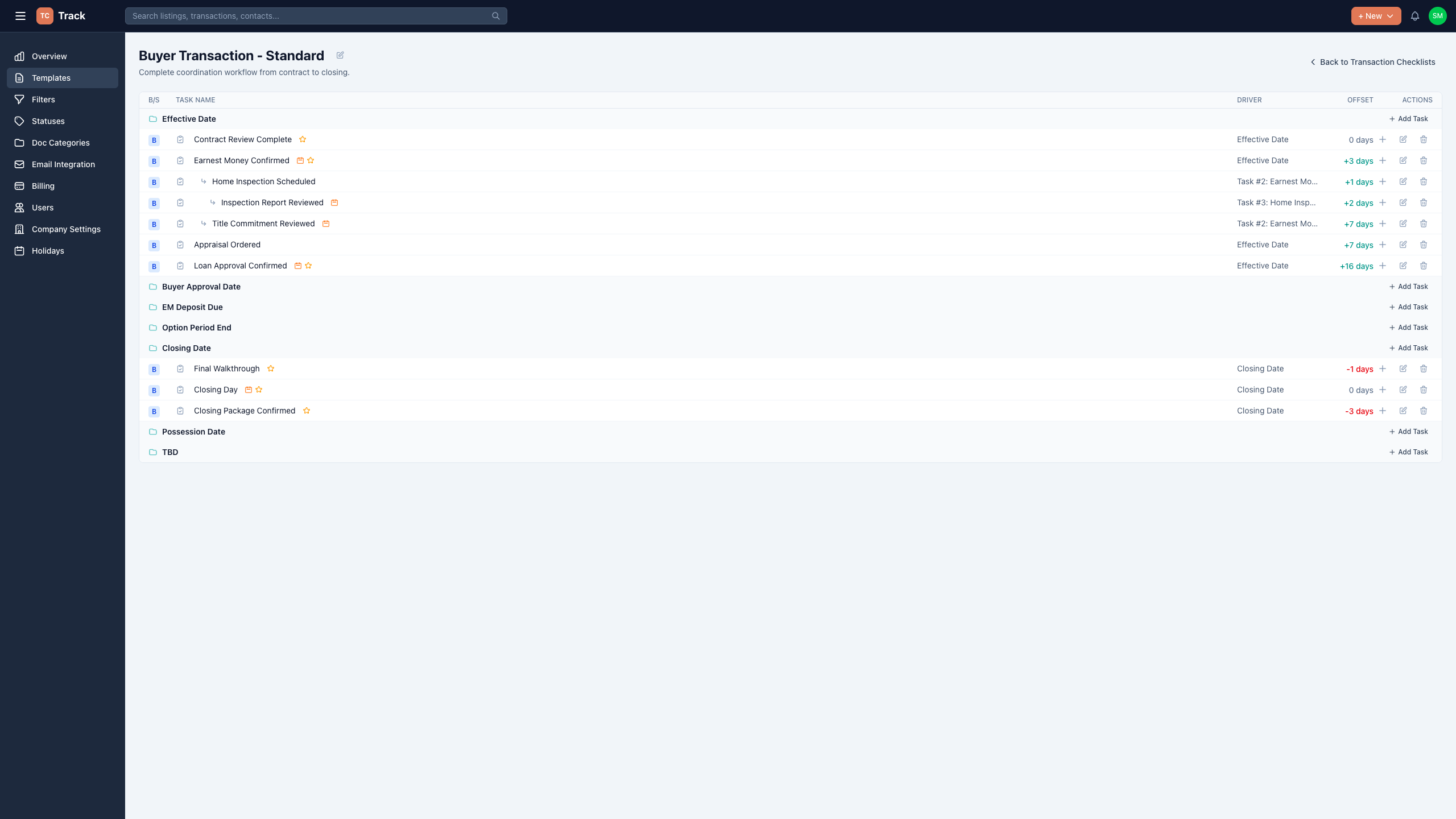
Head to Templates in the sidebar and create a new transaction checklist template. Name it for the transaction type it serves — “Buyer Transaction – Standard” is a good start; you can clone it later for refinance or listing variants.
Anchor every task to a date driver
This is the step that makes the checklist run itself. Instead of typing a due date, each task gets a driver — the contract date it hangs from — and an offset:
- Earnest money confirmed — Effective Date +3 days
- Home inspection scheduled — Effective Date +1 day
- Loan approval confirmed — Effective Date +16 days
- Final walkthrough — Closing Date −1 day
When the contract lands, you enter the effective date once and every task dates itself.
Follow along in your own account.
Everything in this guide works on the free 14-day trial — no credit card required.
Start your free trialTurn on weekend and holiday awareness
A “+3 days” that lands on a Sunday isn’t a real deadline. For each task, choose whether the count includes weekends and holidays and whether the due date is allowed to land on one — if not, TC Track rolls it forward to the next business day using your account’s holiday calendar (federal holidays auto-populate; add your own).
State rules matter
Chain dependent tasks
Some tasks can’t start until another finishes — the inspection report gets reviewed only after the inspection happens. Set those as dependencies: the dependent task’s clock starts when its parent completes, and TC Track prevents circular chains automatically.
Handle buyer-side and seller-side in one template
Mark each task buyer-side, seller-side, or both. One template then serves every deal — when you create a transaction and pick the representation, only the relevant tasks appear.
Put it to work
Create a transaction, pick the template, enter the contract dates, and the whole checklist populates — dated, ordered, and holiday-aware.
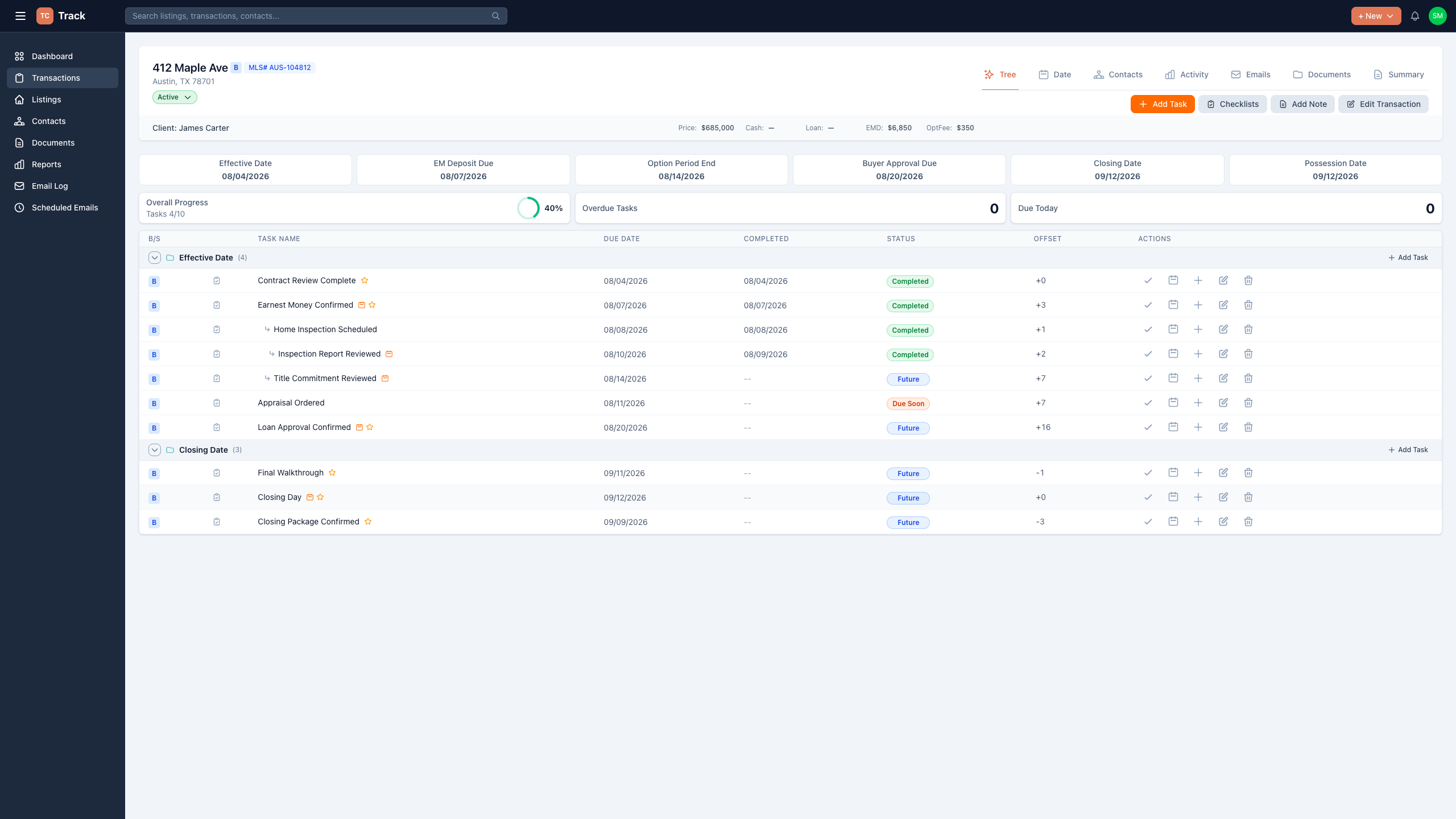
From here, the dashboard’s due today and overdue views tell you exactly what needs attention each morning.
Follow along in your own account.
Everything in this guide works on the free 14-day trial — no credit card required.
Start your free trial