
Template tasks don’t carry fixed dates — they carry rules. When the checklist is applied to a transaction, each rule turns into a real due date calculated from that transaction’s contract dates.
In the task form:
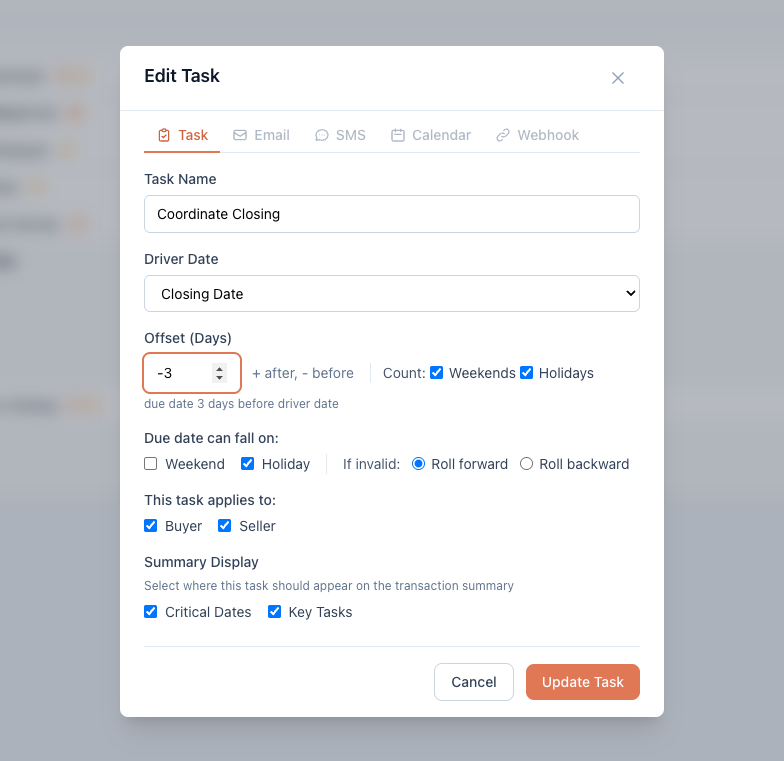
- Driver Date — the anchor this task counts from: Effective Date, Buyer Approval Date, EM Deposit Due, Option Period End, Closing Date, Possession Date, TBD, or Another Task (see task dependencies).
- Offset (Days) — how far from the anchor: positive is after,
negative is before.
-3from Closing Date means three days before closing. The preview line under the field spells out what you’ve built. - Count: Weekends / Holidays — whether weekends and holidays are counted while stepping through the offset. Uncheck them to count business days only.
- Due date can fall on: Weekend / Holiday — whether the landing date may be a weekend or holiday. If you uncheck one and the calculated date lands there, the If invalid rule decides: Roll forward or Roll backward.
Use TBD for tasks with no knowable anchor yet (a date you’ll set by hand on each transaction). TBD tasks don’t take an offset.
When dates change
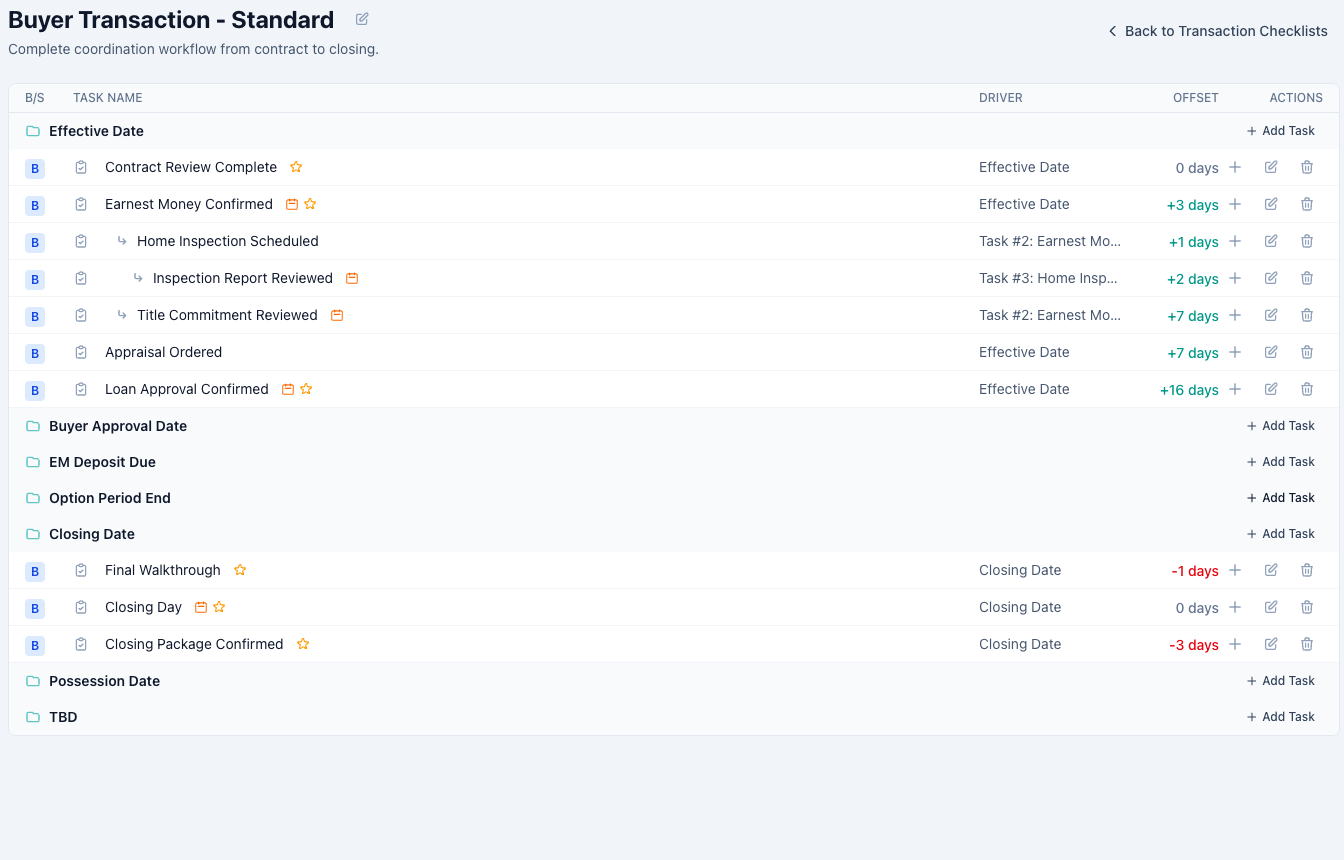
This is where the rules pay off: edit a transaction’s key dates — say closing slips a week — and every task calculates its new due date automatically, weekend and holiday rules included. No manual recalculation, no missed downstream deadline.
Good to know
- With an offset of 0, the counting options don’t apply — the task is simply due on its driver date.
- If a transaction doesn’t have the driver date filled in yet (no closing date on a fresh file, for example), the task waits with no due date and calculates as soon as the date is entered.