
The search bar sits in the header on every page — no need to navigate anywhere first.
- Click the search box (“Search listings, transactions, contacts…”) or just start typing in it.
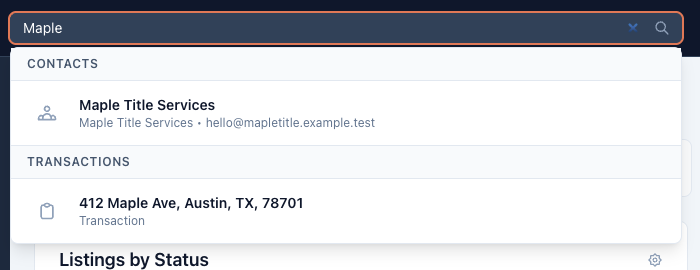
- Two characters is enough; results appear as you type, grouped by type.
- Click a result to jump straight to that transaction, listing, or contact. Esc clears the search.
What it matches
- Transactions and listings: any part of the address — street, city, state, ZIP, county — and the MLS number.
- Contacts: name, email, company, and phone number.
So “Maple” finds the file on Maple Street, a phone fragment finds the lender who just called, and an MLS number pasted from an email lands on the right transaction.
Good to know
- Search finds records, not tasks. For “what’s due?” questions, use the task reports; for standing slices of your pipeline, saved filters.
- Results show the top matches per type — narrow the term if the one you want isn’t on top.